Plan ahead
Prepare the post and schedule it for a specific date and time.
Schedule Posting
Plan a post once, choose when it should run, and keep repeated Facebook group posting workflows more organized with Once, Daily, Weekly, and Monthly scheduling options.
Schedule Posting helps you plan Facebook group posting workflows ahead of time instead of preparing every session manually at the last minute.
If you post to Facebook groups regularly, timing quickly becomes part of the workflow. You may want to prepare a post now, send it later, repeat a similar campaign every day, or schedule a weekly reminder without rebuilding the same setup each time.
AI Groups Poster lets you choose a frequency, start date, and time, so your posting routine becomes easier to plan and review.
Prepare the post and schedule it for a specific date and time.
Use Daily, Weekly, or Monthly frequency for recurring posting workflows.
Review the post, target groups, and schedule settings before creating the scheduled task.
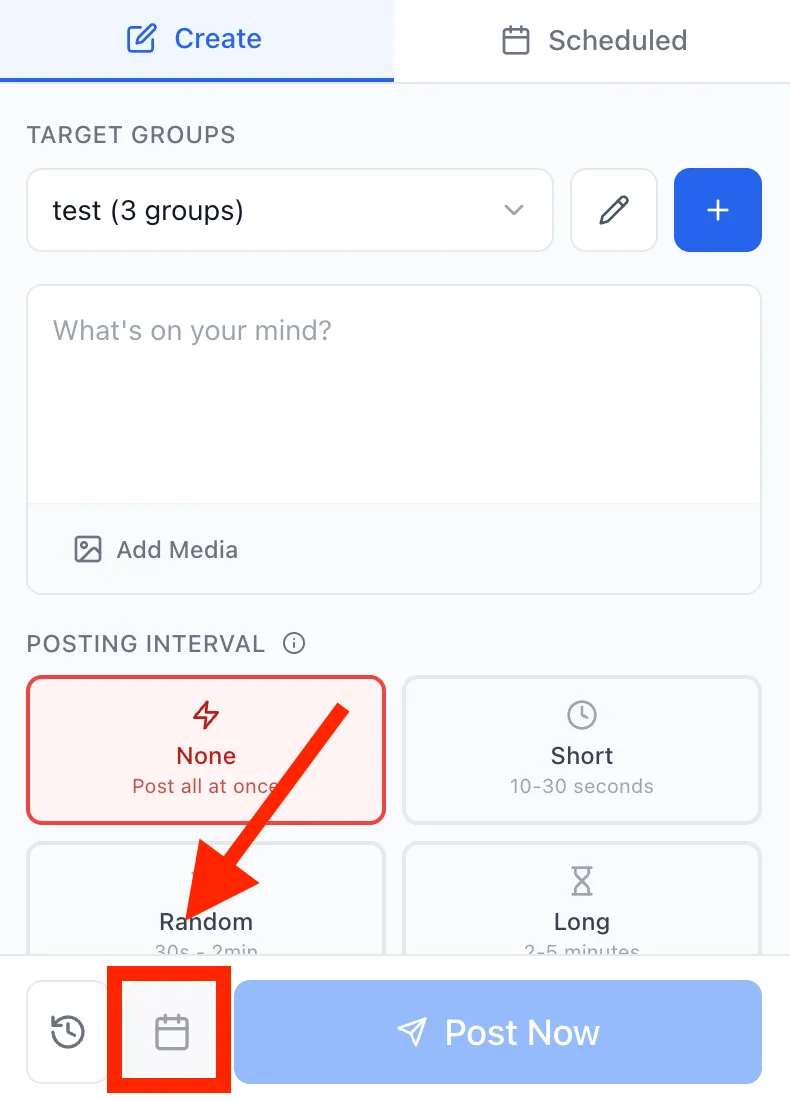
The schedule button lets you switch from posting immediately to planning the post for later.
After choosing target groups and preparing your message, you can open the Schedule Post modal from the Create workflow. This keeps scheduling connected to the same place where you already prepare the post, media, group selection, and posting interval.
Use the calendar button when you want to schedule the post instead of posting immediately.
AI Groups Poster supports one-time and recurring posting workflows: Once, Daily, Weekly, and Monthly.
Use Once when you want to schedule a single post for a specific date and time.
Use Daily when the same workflow should run every day at the selected time.
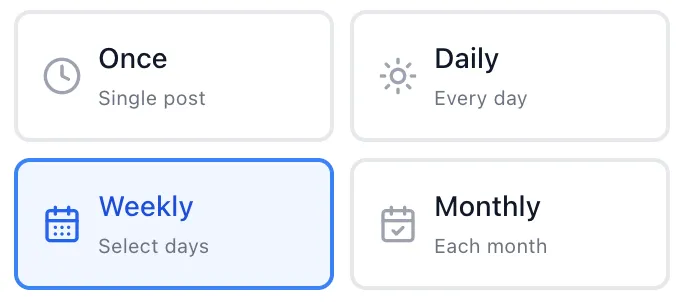
Use Weekly for recurring campaigns, reminders, announcements, or posts that repeat on selected days.
Use Monthly for slower recurring workflows such as monthly updates, community reminders, or campaign cycles.
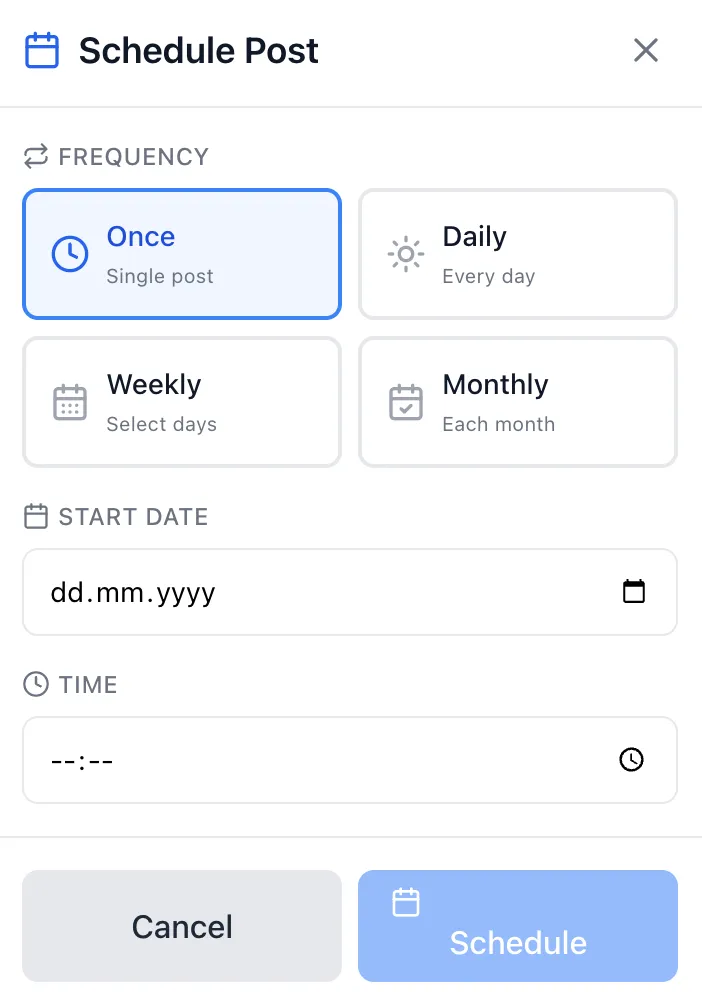
Scheduling stays simple: choose the frequency, select the start date, set the time, and confirm the schedule.
The Schedule Post modal keeps the most important settings visible in one place. You can choose whether the post should run once or repeat, then set when the workflow should start.
This is useful when you prepare content ahead of time, plan campaigns around a launch, or want to keep posting sessions consistent without rushing every post manually.
Scheduling works best when your target groups are already organized.
A schedule is only useful if the target groups are clear. That is why Schedule Posting fits naturally with Group Collections. You can select a saved group list, prepare the post, choose the timing, and keep the whole workflow easier to repeat.
For example, you might keep separate collections for local events, real estate updates, recruiting posts, reseller campaigns, or niche communities, then schedule the right workflow for each group list.
If you post similar content to multiple groups, prepare and review variations before scheduling the workflow.
Scheduling should not mean publishing careless duplicate text everywhere. Before creating a scheduled task, you can use the AI Post Rewriter to prepare cleaner variations and review the final message for each selected group.
This keeps the workflow practical: write the base idea, create variations when needed, review the message, choose target groups, and then schedule the posting session.
Scheduling helps users plan ahead, reduce last-minute manual work, and keep repeated posting workflows more predictable.
Prepare the post earlier and choose when it should run.
Use recurring schedules for daily, weekly, or monthly posting routines.
Combine schedules with group collections, AI variations, and posting controls.
Check frequency, date, time, groups, and content before creating the scheduled task.
Scheduling is for planning relevant posting workflows, not for flooding unrelated groups.
A scheduled post should still be relevant to the groups you select. Before scheduling, review the group list, check the message, respect group rules, and avoid sending the same irrelevant content into unrelated communities.
Schedule Posting handles the "when to post" part of the workflow.
AI Groups Poster is built around a simple sequence: prepare the post, create variations, choose target groups, review the final messages, and decide whether to post now or schedule the workflow for later. Schedule Posting helps with timing, while Group Collections help with targeting and the AI Post Rewriter helps with message variation.
No. If you choose scheduling, the workflow is planned for the selected date and time instead of posting immediately.
AI Groups Poster supports Once, Daily, Weekly, and Monthly scheduling options.
Yes. Scheduling works best when your target groups are organized as reusable collections.
Yes. You should review the content, selected groups, frequency, date, and time before creating the scheduled task.
No. No tool can promise reach, approvals, engagement, leads, or account outcomes. Users are responsible for following platform and group rules.
Yes. Daily, Weekly, and Monthly frequencies are designed for recurring workflows, but schedules should still be reviewed and adjusted when the campaign or group context changes.
Use Schedule Posting to prepare posts earlier, choose the right frequency, and keep repeated Facebook group workflows easier to manage.