AI Post Rewriter

AI Facebook Post Rewriter for Group Posting Workflows

Create one base message, generate cleaner variations, and review the final version for each selected group before continuing. AI Groups Poster helps reduce repetitive copy-paste work while keeping you in control of what gets posted.

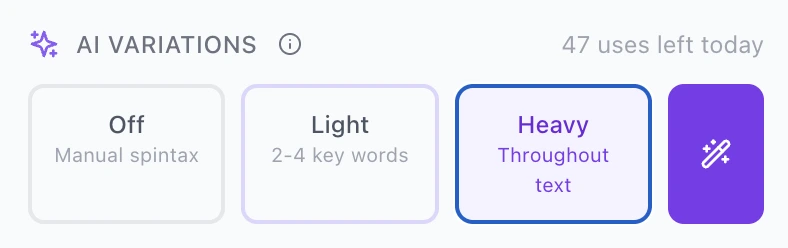
AI Groups Poster AI Variations interface with Heavy mode selected

What the AI Post Rewriter does

The AI Post Rewriter helps you turn one Facebook group post draft into multiple editable variations for repeated group posting workflows.

When you post to several Facebook groups, repeating the exact same text can feel robotic. But rewriting every post by hand is slow. AI Groups Poster gives you a middle path: write the base message once, choose how much variation you want, generate drafts, and review the final text before moving forward.

The feature is designed for practical workflows: local announcements, event promotion, recruiting posts, reseller updates, affiliate content planning, community posts, and other repeated Facebook group posting routines where the message should stay clear but not feel like careless copy-paste.

1

Write once

Start with a base post or manual spintax draft.

2

Generate variations

Choose Off, Light, or Heavy depending on how much rewriting you want.

3

Review before publishing

Preview the final message for each selected group and edit it manually if needed.

Choose the rewrite mode that fits your post

Use Off, Light, or Heavy depending on how much you want the original message to change before review.

AI Variations Off mode in AI Groups Poster

Off: manual control

Use Off when you want to write or edit the variation yourself without AI rewriting.

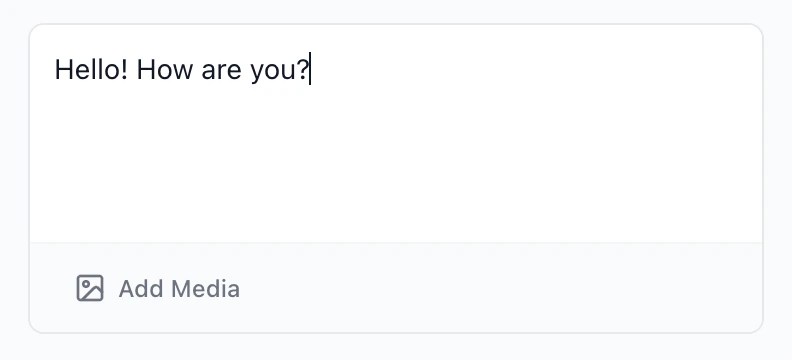
Manual text example

Manual spintax-style text before generating AI variations
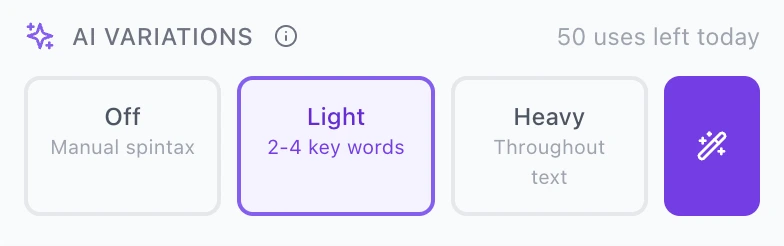
AI Variations Light mode in AI Groups Poster

Light: small wording changes

Use Light when your post is already good and you only want a few natural wording changes.

Light rewrite example

Text after Light AI Variations mode
AI Variations Heavy mode in AI Groups Poster

Heavy: stronger rewriting

Use Heavy when you want more noticeable variations across the whole message before reviewing the final text.

Heavy rewrite example

Text after Heavy AI Variations mode

AI-generated text should always be checked before publishing. The goal is not to remove human judgment; it is to reduce repetitive rewriting work.

Review every variation before continuing

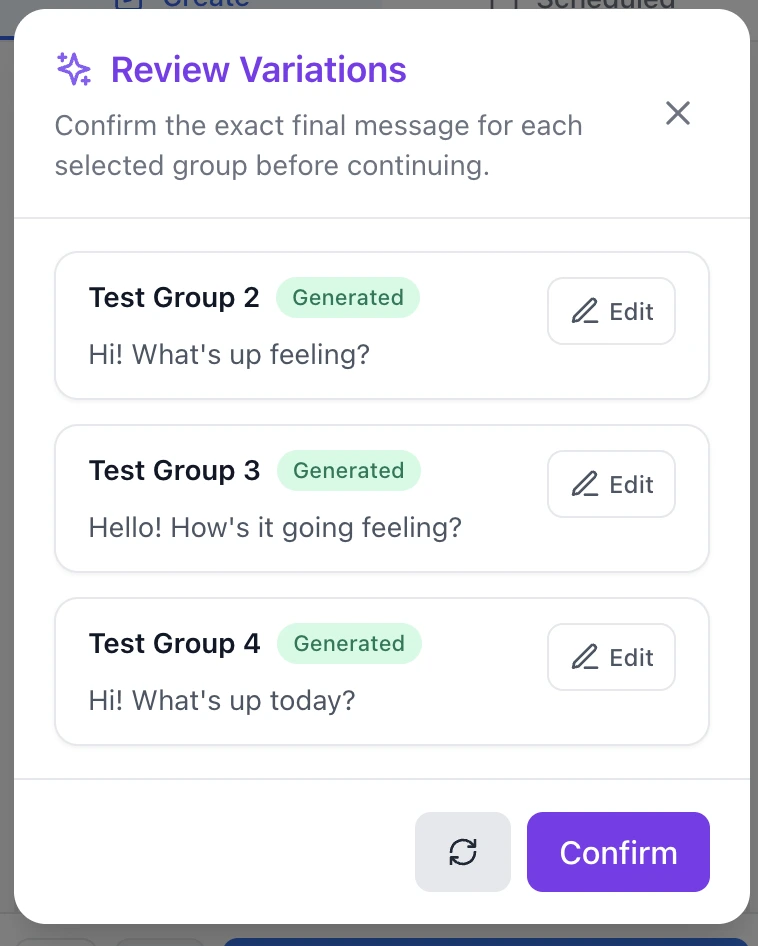
AI Groups Poster shows the generated message for each selected group so you can confirm or edit the final text.

The Review Variations modal is important because repeated posting should not be blind. Each selected group gets a visible final message. You can read it, edit it, regenerate if needed, and confirm only when the message looks right.

  • See the generated text per group
  • Edit a variation manually
  • Regenerate when the wording is not right
  • Confirm only after review
  • Keep control over the final message
Preview Variations button before reviewing generated messages

Preview opens the review step before you continue.

Review Variations modal showing generated messages for selected Facebook groups

Why this helps with Facebook group posting

The feature helps people who post regularly keep their workflow faster, cleaner, and less repetitive.

Less copy-paste fatigue

Prepare one base idea and avoid rewriting the same message from zero for every group.

More natural variation

Create different versions of the same idea so posts do not feel like a mechanical duplicate.

Better review habits

Preview the final message before continuing instead of publishing blindly.

Cleaner campaign workflow

Use AI variations together with group collections, scheduling, and smart posting controls.

Use it responsibly

The AI Post Rewriter is a workflow assistant, not a permission to spam groups or ignore community rules.

Good Facebook group posting still depends on relevance. A rewritten post can still be a bad post if it does not fit the group. Before publishing, check the group rules, adjust the opening lines, remove anything that feels too promotional, and make sure the post is useful for the people reading it.

Do

  • adapt the message to the group context
  • review every generated variation
  • follow group rules and posting guidelines
  • reply to comments after posting

Do not

  • send irrelevant posts into unrelated groups
  • use AI text to hide spammy behavior
  • claim guaranteed reach, approvals, or outcomes
  • ignore group rules or platform rules

How it fits into AI Groups Poster

The AI Post Rewriter is one part of a larger Facebook group posting workflow.

AI Groups Poster is designed around a simple sequence: prepare your post, create variations, organize target groups, review the final messages, and continue with your posting workflow. The rewriter helps with the content step, while group collections and posting controls help keep the rest of the process organized.

Common questions about the AI Post Rewriter

Does the AI Post Rewriter publish posts automatically?

No. The feature is focused on preparing and reviewing variations. You still control the content, selected groups, and final workflow decisions.

What is the difference between Light and Heavy mode?

Light mode makes smaller wording changes while keeping the original structure closer to your draft. Heavy mode rewrites more of the text and creates stronger variation across the message.

Can I edit generated variations?

Yes. Generated variations should be reviewed and can be edited before you continue.

Does AI Groups Poster guarantee better reach or approvals?

No. No tool can guarantee reach, group approvals, engagement, leads, or account outcomes. The feature helps with drafting and workflow, but users are responsible for following platform and group rules.

Is this the same as manual spintax?

Not exactly. Off mode supports a manual variation workflow, while Light and Heavy modes help generate AI-assisted wording variations that are easier to review.

Create better post variations with less repetitive work

If Facebook group posting is part of your weekly routine, AI Groups Poster can help you prepare cleaner variations, review each message, and keep the process more organized.